How to Build a Successful Shopify Dropshipping Store With AI in 2026
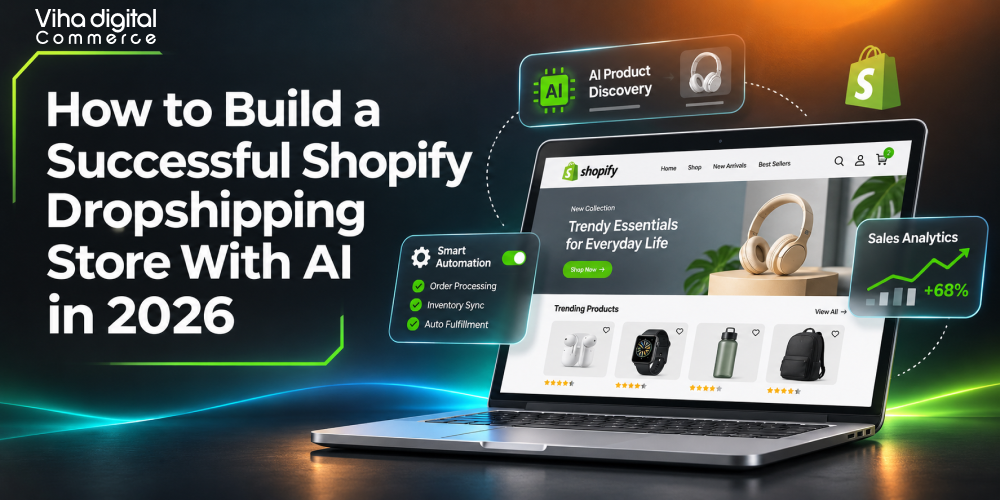
AI dropshipping is running a dropshipping business on Shopify, with AI handling repetitive, data-heavy work: product research, supplier vetting, product page writing, pricing, ad creative, customer support, inventory sync, and reporting. To start, you pick a defensible niche, use AI product research tools to validate demand, connect to reliable AI dropshipping suppliers through a Shopify dropshipping app, generate optimized listings with an AI product description generator for Shopify, and then wire up Shopify dropshipping automation using Shopify Flow, webhooks, and the Admin API. You keep humans in charge of strategy, brand, supplier relationships, and quality control.
In short: AI handles volume, you handle judgment. Stores that win in 2026 are not the ones that use the most AI dropshipping tools. They are the ones that use a small, well-integrated stack, protect their margins, and build a brand customers trust.
This guide from Viha Digital Commerce walks through the full process, including the technical details most tutorials skip: data models, API calls, structured data, feed specifications, automation logic, and the unit economics that decide whether the business is profitable.
What AI Dropshipping Really Means in 2026
Traditional dropshipping means you list products you do not stock. When a customer orders, a supplier ships directly to them. You keep the spread between your retail price and the supplier’s cost, minus ad spend, fees, and refunds. The model has low upfront cost, but it is operationally noisy: you need to find products, compare suppliers, write hundreds of listings, answer repetitive tickets, monitor stock, and fix fulfillment errors.
AI dropshipping applies machine learning and large language models to that workload. It is useful to separate three layers:
- Assistive AI: tools that help a human do a task faster. Examples include Shopify Sidekick answering store-admin questions, or an LLM drafting a product description you then edit.
- Automated AI: workflows that run on triggers without a person in the loop. Examples include a rule that rewrites and publishes a supplier product feed, or a support bot that resolves order-status questions.
- Agentic AI: systems that plan and execute multi-step tasks, such as monitoring a product’s sales, pausing a failing ad set, switching a supplier, and notifying you. These are growing quickly in 2026 but still need guardrails and approval steps.
When people search for automated dropshipping with AI, they usually mean the second and third layers. The honest picture is that full automation is still partial. Most successful operators automate roughly 60 to 80 percent of routine tasks and keep humans on supplier negotiation, creative direction, exception handling, and brand decisions.
Why 2026 is different from 2023
Three shifts changed how Shopify AI dropshipping works:
- AI is built into the platform. Shopify’s own assistant (Sidekick) and its AI features (formerly branded Shopify Magic) help with product descriptions, image editing, email drafts, store analysis, and Flow automation. You no longer need a third-party plugin for every task.
- Discovery is moving into AI assistants. Shoppers increasingly ask ChatGPT, Gemini, Perplexity, and Copilot what to buy. Shopify has been building agentic commerce capabilities so merchants’ catalogs can be surfaced and, in some cases, purchased through AI interfaces. Structured product data now matters as much as keywords.
- Product research is commoditized. Everyone can see trending products. The edge has moved from finding a product to differentiating it: better offer, better brand, faster shipping, better creative, better service.
Is AI Dropshipping Profitable? The Unit Economics
The most common question beginners ask is whether AI dropshipping is profitable. The accurate answer: it can be, but AI does not change the arithmetic. It changes your cost structure and speed. Profitability still comes from contribution margin per order exceeding your customer acquisition cost with room to spare.
The core formula
Contribution margin per order = Average order value (AOV) − Product cost − Shipping cost − Payment processing fees − Refund and chargeback allowance − Apps and software allocation
Net profit per order = Contribution margin − Customer acquisition cost (CAC)
Worked example
Suppose you sell a pet grooming glove set:
| Line item | Amount (USD) |
| Retail price (AOV) | 34.99 |
| Supplier product cost | 7.80 |
| Supplier shipping | 3.90 |
| Payment processing (about 2.9% plus 0.30) | 1.31 |
| Refund and chargeback allowance (6%) | 2.10 |
| Software allocation per order | 0.60 |
| Contribution margin | 19.28 |
Contribution margin is 19.28, which is about 55 percent of AOV. Your break-even ROAS (return on ad spend) is AOV divided by contribution margin: 34.99 / 19.28 = 1.81. If your ads return less than 1.81 in revenue per dollar spent, you lose money on the first purchase. A target ROAS of 2.5 or higher gives breathing room for overhead and growth.
Realistic benchmarks
Numbers vary widely by niche, but these ranges are commonly cited by operators:
- Gross margin after product and shipping: 40 to 65 percent for healthy catalogs. Below 30 percent is fragile.
- Store conversion rate: 1 to 3 percent for cold paid traffic, higher for email and returning visitors.
- Refund and return rate: 3 to 10 percent, depending on category. Apparel and electronics run higher.
- Repeat purchase rate: 10 to 30 percent for consumable or replenishable niches, far lower for one-off gadgets.
Treat these as planning assumptions, not guarantees. Your own data replaces them within the first few hundred orders.
Where AI actually improves profitability
- Lower labor cost: Product listings, support replies, and report building cost less time.
- Lower waste: AI-assisted product validation reduces money spent testing weak products.
- Higher conversion: Better copy, imagery,y and personalization lift conversion by a few tenths of a point, which compounds at scale.
- Higher AOV and LTV: Recommendation engines, bundles, and AI-driven email flows raise revenue per customer.
Where AI does not help
- Slow shipping and weak supplier quality still produce refunds and bad reviews.
- Saturated products with thin margins remain thin no matter how good your copy is.
- Policy violations (trademark, restricted items, misleading claims) can still get ad accounts and payment gateways shut down.
So is AI dropshipping profitable? Yes, for operators who treat it as a real e-commerce business with brand, margin discipline, and quality control. Rarely for those chasing viral products with zero differentiation.
How to Start an AI Dropshipping Business With Shopify in 2026: The Roadmap
Here is the sequence we recommend at Viha Digital Commerce for how to start AI dropshipping, whether you are a complete beginner or migrating to an existing store.
- Define the business model and budget. Decide your target country, currency, price band, and risk tolerance. A lean launch budget covers a Shopify plan, a domain, one or two apps, samples, and an initial ad test fund.
- Choose a niche using data, not hype. Use AI product research tools plus manual checks.
- Vet suppliers and order samples. Prioritize reliability and shipping time over the lowest cost.
- Set up the Shopify store technically. Theme, markets, taxes, payments, shipping profiles, policies, tracking.
- Import and enrich products with AI. Generate descriptions, titles, metafields, alt text, and FAQs.
- Automate operations. Order routing, inventory sync, pricing rules, support, notifications.
- Launch marketing. Organic content, paid ads, email and SMS.
- Measure, test, and iterate. Weekly review of KPIs, kill losers, scale winners.
The rest of this guide goes through each step in depth.
Step 1: Niche Selection and AI Product Research Tools
The fastest way to waste money is to pick a product because it went viral last week. By the time a trend appears on every research dashboard, ad costs have climbed, and competitors have already tested it. AI product research tools are useful, but only inside a disciplined scoring process.
What AI product research tools actually do
The best AI tools to find winning dropshipping products typically combine several data sources:
- Ad intelligence: tracking which ads run for long periods (a proxy for profitability), engagement growth, and creative angles.
- Store tracking: estimating a competing store’s revenue trends, best sellers, and launch dates.
- Marketplace signals: sales velocity, review growth and price changes on AliExpress, Amazon, Temu, Alibaba and TikTok Shop.
- Search and social demand: Google Trends-style interest data, TikTok and Instagram hashtag growth, Reddit and forum sentiment.
- Machine-learning scoring: models that combine the above into a product score or a predicted trend direction.
Tool categories to evaluate include ad-spy platforms (Minea, Pipiads, and similar), store and product trackers (Dropship.io, Sell The Trend, Ecomhunt, and similar), browser extensions that estimate competitor store sales, supplier-side trend dashboards inside apps such as AutoDS, and general LLMs (ChatGPT, Claude, Gemini, Perplexity) used for market analysis and brainstorming. Features and pricing change often, so confirm current plans on each vendor’s site before subscribing.
A product scoring model you can build in a spreadsheet
Do not trust a single vendor’s score. Build your own weighted model and let AI fill the inputs. Here is a practical framework:
| Criterion | Weight | What to measure |
| Gross margin potential | 20% | Retail price versus landed cost; target 3x or more |
| Demand trend | 15% | 12-month search trend slope, not a one-week spike |
| Competition intensity | 15% | Number of active advertisers and stores selling the same item |
| Problem-solution clarity | 10% | Can you explain the benefit in under five seconds? |
| Differentiation potential | 15% | Can you bundle, rebrand, improve, or add content others lack? |
| Return and defect risk | 10% | Fragility, sizing, electronics, safety concerns |
| Shipping feasibility | 10% | Weight, size, battery, liquid, customs restrictions |
| Compliance risk | 5% | Trademarks, regulated claims, age restrictions |
Score each from 1 to 5, multiply by the weight, and only test products above a threshold such as 3.8 out of 5. An LLM can draft the first pass for each criterion, but verify the facts it cites. Language models can hallucinate sales numbers or competitor data, so cross-check against the primary tool.
Prompt pattern for AI-assisted niche research
A reliable prompt structure has five parts: role, context, constraints, output format, and verification request. For example:
Act as an e-commerce analyst. I plan to run a Shopify store targeting pet owners in the United States with products priced between 25 and 60 dollars. List 15 sub-niches, and for each, give the core customer problem, three candidate product types, likely objections, seasonality, and compliance risks. Output as a table. Flag any claims you are not certain about.
Then validate the output with real data: Google Keyword Planner or Trends, ad libraries (Meta Ad Library, TikTok Creative Center), marketplace listings, and Reddit threads.
Validate before you build
For any shortlisted product, run these checks:
- Search the product in the Meta Ad Library. Many advertisers running the same creative for 30 or more days suggests viability, but also saturation.
- Compare marketplace prices. If the item sells on Amazon for less than your planned retail price, you need a stronger angle.
- Read the 1- to 3-star reviews on marketplace listings. They tell you the defects and unmet expectations you must address in your copy and supplier choice.
- Order a sample. No AI tool replaces handling the physical product.
- Check intellectual property. Reverse-image search the product. Avoid branded or patented designs.
Niche versus general store
In 2026, one-product stores and tightly themed niche stores usually outperform general catalogs. A focused store makes it easier to build brand trust, write consistent content, rank in search, and be recommended by AI assistants. If you plan on a catalog approach, still anchor it around one customer persona, for example, new dog owners, home baristas, or remote workers.
Step 2: Choosing AI Dropshipping Suppliers
Supplier choice determines shipping speed, defect rates and refund costs, which are the biggest hidden drivers of profit. The phrase AI dropshipping suppliers can mean two things: suppliers that offer AI-enabled tooling (product feeds with automated enrichment, AI sourcing assistants, automated order routing) and suppliers you discover through AI-assisted vetting—both matter.
Major supplier and platform options
- DSers: Shopify’s officially integrated route for AliExpress fulfillment, with bulk ordering, variant mapping and supplier switching. Widely used by beginners.
- CJ Dropshipping: offers product sourcing, private-label options, regional warehouses and a sourcing request service.
- Zendrop: combines a supplier network with fulfillment automation and branded packaging options.
- Spocket: focuses on suppliers in the US and EU for faster delivery.
- AutoDS: automation platform covering product import, price and stock monitoring, and automated order fulfillment across multiple suppliers.
- Shopify Collective: a Shopify program connecting eligible merchants with other Shopify merchants’ products, with automated syncing and fulfillment. Availability varies by country and plan, so check current eligibility.
- Print-on-demand and niche suppliers: Printful, Printify and others for custom products.
Availability, fees and policies change frequently. Always read each provider’s current terms.
A supplier scorecard
Evaluate every candidate on measurable criteria:
| Criterion | Target |
| Processing time | 1 to 3 business days |
| Delivery time to your main market | 3 to 8 days from regional warehouses; 8 to 15 days from China is a risk |
| Tracking quality | Real-time tracking with carrier scans, not placeholder numbers |
| Defect rate on sample orders | Below 2% on the first 20 units |
| Stock accuracy | Sync frequency at least every few hours with API or feed |
| Communication | Response within 24 hours |
| Branding options | Custom packaging, inserts, labels |
| Return handling | Clear policy and address for returns |
| Pricing stability | Written notice of price changes |
Ask an LLM to generate a supplier due-diligence questionnaire and a sample-order checklist, then tailor it to your product. Place a sample order, record the entire timeline from order to delivery, photograph packaging quality and test the product to failure if it is a durable good.
Using AI to monitor suppliers continuously
After onboarding, automate supplier performance tracking:
- Log each order’s supplier, processing time, delivery time, tracking events and any ticket.
- Calculate a rolling supplier health score per SKU: on-time rate, defect rate, stock-out rate, price drift.
- Trigger alerts when a metric crosses a threshold, such as on-time delivery below 85 percent over the last 50 orders.
- Use an LLM to summarize customer complaints per supplier weekly so you spot recurring defects.
Maintain at least one backup supplier for each hero product. Supplier concentration risk is one of the most underestimated causes of store failure.
Step 3: Technical Shopify Store Setup
A fast, trustworthy store is the foundation. AI cannot compensate for a slow site, confusing checkout or missing policies.
Plan, domain and markets
- Start on a plan that fits your stage and upgrade as reporting and fee needs grow. Verify current plan features and prices on Shopify’s site.
- Buy a brandable domain and configure it as the primary domain in Shopify. Avoid generic or trademark-adjacent names.
- If selling internationally, configure Shopify Markets: set per-market currencies, language, domains or subfolders, duties and tax handling, and per-market pricing.
Theme and performance
Choose a lightweight, modern Online Store 2.0 theme. Technical priorities:
- Core Web Vitals: aim for Largest Contentful Paint under 2.5 seconds, Interaction to Next Paint under 200 milliseconds, and Cumulative Layout Shift under 0.1 on mobile.
- App discipline: every app can add JavaScript. Audit your app list monthly, and remove apps whose scripts are not paying for themselves. Prefer apps built on theme app extensions and checkout extensibility rather than legacy script injection.
- Images: serve through Shopify’s CDN, use WebP or AVIF where supported, set explicit width and height attributes, lazy-load below-the-fold media and preload the hero image.
- Fonts: limit to two families, use font-display: swap, and self-host if possible.
Checkout, payments and shipping profiles
- Enable Shopify Payments where available, plus PayPal and wallet options like Shop Pay, Apple Pay and Google Pay. Accelerated checkouts reduce friction on mobile.
- Build shipping profiles by supplier location so that rates and delivery estimates reflect reality. Either offer free shipping built into the price, or flat-rate with a free-shipping threshold to lift AOV.
- Set clear delivery estimates. Overpromising is the leading driver of chargebacks and negative reviews.
- Use Checkout extensibility for upsells, custom fields, and branding rather than editing legacy checkout code.
Required policies and trust signals
Publish refund, shipping, privacy and terms pages, a contact page with a real email, and an About page with an honest brand story. Add a visible returns window, delivery timelines and payment badges. Trust content also feeds search and AI systems that evaluate whether your store is a legitimate merchant.
Tracking foundation
Install tracking before you buy traffic:
- Google Analytics 4 and Google Tag Manager, with enhanced e-commerce events: view_item, add_to_cart, begin_checkout, purchase.
- Meta Pixel and Conversions API (CAPI), deduplicated by event ID, to recover signal lost to browser privacy controls.
- TikTok Pixel and Events API if advertising there.
- Google & YouTube channel in Shopify for Merchant Center sync.
- Customer Privacy/consent mode: implement a consent banner and pass consent signals correctly to ad platforms to stay compliant in the EU, UK and US states with privacy laws.
Test every event in a staging flow. Broken purchase events cause ad algorithms to optimize on bad data, which quietly burns budget.
Step 4: AI Product Description Generator Workflows
An AI product description generator for Shopify can produce hundreds of listings in hours, but generic output is the fastest path to thin content and low conversion. The goal is on-brand, accurate, differentiated copy.
Tools you can use
- Shopify’s built-in AI product description feature inside the product editor, which generates text from a product title and keywords.
- Sidekick, which can be asked to improve titles, summarize benefits or draft collections.
- General LLMs accessed via chat or API for custom workflows.
- Shopify apps for bulk copy generation and translation.
A production-grade description workflow
Treat copy generation as a pipeline, not a one-click action:
- Create a product fact sheet. Include dimensions, materials, care instructions, certifications, what is in the box, compatibility, warranty, and supplier-confirmed claims. This is your ground truth.
- Create a brand voice document. Tone, banned phrases, reading level, spelling variant (US or UK), and examples of copy you like.
- Collect customer language. Pull phrases from reviews, Reddit, and support tickets. Real customer wording beats marketer wording.
- Generate with a structured prompt. Feed the fact sheet, voice guide, and target keywords, and require a specific output schema.
- Fact-check. Verify every claim against the fact sheet. Remove unsupported statements such as medical benefits, waterproof ratings, or battery life numbers.
- Human edit and approve. Keep a person responsible for final copy.
- Publish and measure. Track conversion, add-to-cart rate, and scroll depth per template.
Sample prompt skeleton
You are a senior e-commerce copywriter for [brand]. Use only the facts in the fact sheet. Write: (1) a product title under 70 characters with the primary keyword near the front; (2) a 150-character meta description; (3) a 2-sentence hook focused on the customer problem; (4) 5 benefit bullets that each pair a feature with an outcome; (5) a specification table; (6) 5 FAQs answering real objections; (7) image alt text for 5 images. Do not invent specifications. If information is missing, return a list of questions instead.
The final instruction, to return questions when information is missing, sharply reduces hallucinated specifications.
Structure each product page for humans and machines.
- Short, benefit-led headline and a clear price, shipping and returns summary above the fold.
- Scannable bullets, a specification table and an FAQ section.
- Original photos or short videos wherever possible. Supplier stock images are used by every competitor and weaken both trust and search uniqueness.
- Rich reviews with photos, collected post-purchase via email or SMS flows.
Store product data in metafields
Use metafields and metaobjects for structured attributes (material, dimensions, compatibility, certifications, care). This lets your theme render consistent spec tables, powers filters, feeds structured data, and gives AI systems clean, machine-readable facts. Define metafield definitions in the Shopify admin and, for bulk updates, write values with the Admin GraphQL API.
A simplified product creation example with the Admin GraphQL API looks like this (use a current stable API version in your endpoint):
mutation CreateProduct($product: ProductCreateInput!) {
productCreate(product: $product) {
product {
id
title
handle
}
userErrors {
field
message
}
}
}
Variables supply the title, descriptionHtml, vendor, productType, tags, SEO fields, and metafields. Then follow with media and variant mutations. Always inspect userErrors and implement retry with exponential backoff for rate limiting. Shopify’s GraphQL Admin API uses a calculated query cost model, so request only the fields you need and use bulk operations for large imports.
Step 5: Shopify Dropshipping Automation Architecture
This is the section most guides skip. Shopify dropshipping automation is not one app. It is an architecture of triggers, rules, and integrations. Understanding it lets you decide what to buy, what to build, and what to leave manual.
The automation layers
- Catalog layer: importing, enriching, mapping, and publishing products.
- Inventory layer: syncing stock and cost from suppliers and hiding or pausing out-of-stock items.
- Order layer: routing paid orders to suppliers, handling payment verification and fraud checks.
- Fulfillment layer: writing tracking numbers back to Shopify and notifying customers.
- Pricing layer: adjusting prices when supplier costs or competitor prices change.
- Customer layer: support, reviews, retention and win-back flows.
- Insight layer: dashboards, alerts and AI-generated summaries.
Shopify Flow: your no-code automation engine
Shopify Flow is a workflow builder available to eligible plans and included with Shopify’s main plans at the time of writing. Each workflow has a trigger, optional conditions, and one or more actions. Useful dropshipping workflows include:
- Tag high-risk orders: Trigger on order created. Condition: fraud analysis risk is high, or shipping and billing countries differ, and order value exceeds a threshold. Action: add tag review-needed and send an internal notification to Slack or email. Hold fulfillment until reviewed.
- Out-of-stock protection: Trigger on inventory quantity changed. Condition: available quantity is zero. Action: remove the product from sales channels or set status to draft, and notify you.
- Low-margin guard: Trigger on product updated. Condition: price divided by cost is below your minimum multiple. Action: tag low-margin and alert you.
- Delayed shipment alert: Trigger on a scheduled run. Condition: orders unfulfilled for more than three business days. Action: email supplier and tag the order.
- VIP tagging: Trigger on order created. Condition: customer lifetime spend exceeds a threshold. Action: tag customer and add to a priority support segment.
Shopify Sidekick can help draft Flow workflows from plain-language descriptions, which is one of the clearest examples of how AI can automate a Shopify dropshipping store. Review every generated workflow before activating it.
Webhooks and the Admin API for custom automation
For operators with a developer, custom logic gives you control that apps cannot. The key building blocks:
- Webhook subscriptions notify your server of events. Common topics: orders/create, orders/paid, orders/fulfilled, fulfillments/create, inventory_levels/update, products/update, refunds/create, customers/create. Subscribe via the GraphQL webhookSubscriptionCreate mutation or app configuration.
- HMAC verification: every webhook request includes an X-Shopify-Hmac-Sha256 header. Compute the HMAC-SHA256 of the raw request body using your app secret and compare in constant time. Reject mismatches.
- Idempotency: webhooks can be delivered more than once and out of order. Store the X-Shopify-Webhook-Id and ignore duplicates. Make order-routing operations idempotent so a supplier never receives the same order twice.
- Fast acknowledgement: respond with HTTP 200 within a few seconds and process work asynchronously via a queue such as SQS, Redis with BullMQ, or Cloud Tasks.
- Rate limits: the GraphQL Admin API uses a cost-based leaky bucket. Read the extensions cost object in responses, throttle based on throttleStatus, and use bulk operations (bulkOperationRunQuery and bulkOperationRunMutation) for catalog-scale reads and writes.
- Access scopes: request the minimum scopes, for example read_orders, write_products, write_inventory, read_fulfillments. Over-broad scopes increase security risk.
- API versioning: Shopify releases a new API version every quarter and supports each for about a year. Pin your version and schedule upgrades so you are never forced into an emergency migration.
Reference architecture for automated dropshipping with AI
A sturdy custom setup looks like this:
- Shopify emits orders/paid to your endpoint.
- Your service verifies the HMAC, writes the event to a queue, and returns 200.
- A worker pulls the order, runs a rules engine (fraud score, address validation, SKU-to-supplier mapping), and calls the supplier API or app to place the order.
- The supplier returns an order ID. You store it as an order metafield or in your database.
- A polling job or supplier webhook receives tracking data and calls Shopify’s fulfillmentCreate mutation with the tracking number, company, and URL, with customer notification enabled.
- Exceptions (address failure, out-of-stock, price change) are pushed to a review queue and summarized by an LLM into a short ticket for a human.
- A nightly job aggregates metrics into a warehouse such as BigQuery for reporting.
Using an LLM inside this pipeline is best limited to classification and summarization (for example, categorizing a supplier error message or customer email), not to final financial decisions. Keep deterministic rules for money-moving actions.
Inventory and cost synchronization
Drift between supplier stock and your storefront causes oversells, cancellations, and chargebacks. Best practice:
- Sync stock at least every few hours for fast-moving items, and use supplier webhooks if available.
- Use Shopify’s inventory API with locations. Create a dedicated location per supplier or warehouse so shipping profiles and availability are accurate.
- Add a safety buffer: show zero stock when the supplier reports fewer than a small number of units.
- Monitor cost changes. When supplier cost rises, auto-flag the SKU if margin falls below your floor.
Apps that package this automation
For most beginners, apps offer a faster route than custom code. Popular Shopify AI dropshipping apps and AI dropshipping automation software include DSers for AliExpress order automation, AutoDS for end-to-end product, price, stock, and order automation, CJ Dropshipping and Zendrop for supplier-integrated fulfillment, and Spocket for faster regional shipping. Compare them on supported suppliers, sync frequency, bulk editing, pricing rules, multi-store support, and total monthly cost, including transaction fees.
Step 6: Pricing, Margins and Dynamic Repricing
AI makes repricing faster, but strategy still comes first.
Pricing frameworks
- Cost-plus with a multiple: a 2.5x to 4x multiple on landed cost is a common starting range for low-cost goods.
- Value-based pricing: price according to perceived benefit and what comparable alternatives cost. This often beats cost-plus for problem-solving products.
- Anchor and bundle: show a compare-at price for credible anchors only, and create bundles (buy two, save) to lift AOV.
- Free-shipping thresholds: set the threshold about 20 to 30 percent above your current AOV to nudge larger baskets.
AI-driven dynamic pricing
Repricing tools can adjust prices based on supplier cost, competitor prices, demand, and inventory. Guardrails are essential:
- Define a minimum margin floor and a maximum price ceiling per SKU.
- Limit changes to a small percentage per day to avoid erratic customer experience.
- Never show a price drop that was higher an hour ago in a way that looks deceptive, and follow local rules on reference pricing and discount claims.
- Log every price change with a reason so you can audit outcomes.
Test pricing scientifically
A/B test price points using a tool such as Shopify’s native experimentation features where available, or a trusted third-party testing app. Run tests long enough to reach statistical significance on revenue per visitor, not only conversion rate, because a higher price can reduce conversion while still increasing profit.
Step 7: Marketing With AI
Traffic is the main cost in dropshipping. AI helps you produce more creative and learn faster, but platform rules and creative quality still decide results.
Creative production
- Static and short-form video: use AI image tools and Shopify’s image editing features for background replacement and clean product shots, but keep the real product accurate. Misleading AI imagery causes returns and ad disapprovals.
- UGC-style scripts: have an LLM write several hooks per product, built on customer pain points mined from reviews. Then have real creators or your own team film them. Many platforms now require disclosure for synthetic or AI-generated content, so check each platform’s current policy.
- Variant testing: generate 10 to 20 hook and headline variants, run them with small budgets, keep the top performers, and iterate.
Paid media structure
A simple 2026 structure that works with algorithmic bidding:
- Meta: Advantage+ shopping campaigns for scaling, plus a manual testing campaign with creative-level isolation. Pass events through Conversions API with strong event match quality.
- TikTok: Spark Ads using organic creator content, plus Smart+ style automated campaigns where available.
- Google: Performance Max and Shopping campaigns powered by a clean Merchant Center feed, plus branded search protection.
- Budgeting: test each product with a defined budget and a kill rule, for example, stop after spending 2x to 3x your break-even CPA without sufficient purchases.
Product feed optimization for Google and AI shopping surfaces
Your product feed is a major visibility lever. Optimize these attributes: title (brand, key attribute, product type, size or color), description, google_product_category, GTIN or MPN where available, brand, condition, availability, price, sale_price, shipping, product_highlight, and high-quality image_link plus additional_image_link. Missing identifiers and weak titles are among the most common reasons for poor shopping performance. An LLM can rewrite feed titles at scale, but test changes in batches and watch impression share.
Email and SMS automation
Owned channels typically deliver the best margin. Set up with Shopify Email, Klaviyo, or a similar platform:
- Welcome series with brand story and first-purchase incentive.
- Abandoned cart and abandoned checkout flows.
- Browse abandonment.
- Post-purchase series with usage tips, shipping transparency, and review requests.
- Replenishment reminders for consumables.
- Win-back flows for lapsed customers.
Use AI to draft subject-line variants and personalize content by segment, but keep deliverability basics intact: authenticated sending domain (SPF, DKIM, DMARC), clean lists, and clear consent.
Influencer and creator partnerships
Use AI to shortlist creators by audience match, then negotiate manually. Seed products, give clear briefs, and grant rights to reuse content in ads. Authentic creator content continues to outperform polished brand ads in many niches.
Step 8: Customer Support Automation
Support quality is a profit lever because it reduces refunds, chargebacks, and negative reviews.
What to automate
- Where is my order (WISMO): typically the largest ticket category in dropshipping. An AI agent connected to Shopify order and tracking data can answer these instantly.
- Return and exchange eligibility: AI can check policy and order date, then generate return instructions.
- Product questions: a retrieval-augmented assistant that answers only from your fact sheets and FAQs.
- Order edits: address changes before fulfillment.
Tools to evaluate include Shopify Inbox and Sidekick-assisted workflows, Gorgias, Tidio, Zendesk, Intercom, and similar helpdesks with AI agents. Confirm current capabilities and pricing yourself.
Guardrails for support AI
- Use retrieval-augmented generation (RAG) so the assistant answers from approved content rather than guessing.
- Set escalation rules: refunds above a set value, angry sentiment, legal or safety words, and repeated failed resolutions all route to a human.
- Do not let AI promise delivery dates the supplier has not confirmed.
- Keep full conversation logs, and review a sample weekly to catch errors.
- Disclose to customers when they are talking to an AI where local regulations or good practice require it.
Proactive communication
Send shipping-delay notices before customers ask. A short, honest message such as a revised delivery window reduces chargebacks far more than silence. Automate this using Flow triggers or your helpdesk, with LLM-drafted but template-controlled wording.
Step 9: SEO and AI Search Visibility (GEO)
To win both Google and AI assistants, optimize for classic SEO and for generative engine optimization (GEO), also called answer engine optimization. The core idea: make your store easy to crawl, easy to understand, and worth citing.
Technical SEO checklist for Shopify
- Clean URL structure: collections and products with descriptive handles. Shopify forces /collections/ and /products/ paths, so use canonical tags properly (themes handle product canonicals by default).
- Indexing control: use robots.txt.liquid to customize rules if needed, and keep filter and parameter URLs from creating duplicate content.
- XML sitemap: Shopify generates /sitemap.xml automatically. Submit it in Google Search Console and Bing Webmaster Tools.
- Page speed: covered above, because Core Web Vitals influence rankings and conversion.
- Internal linking: link collection pages, blog posts, and products with descriptive anchor text.
- Image SEO: descriptive filenames and accurate alt text.
- Hreflang and Markets: configure properly if serving multiple languages or regions.
Structured data (schema markup)
Structured data helps search engines and AI systems extract facts reliably. Most modern themes output basic Product schema, but verify and extend it. A compact example in JSON-LD:
{
“@context”: “https://schema.org”,
“@type”: “Product”,
“name”: “Pet Grooming Glove Set”,
“image”: [“https://example.com/glove-1.jpg”],
“description”: “Deshedding glove set for dogs and cats.”,
“sku”: “PGG-001”,
“brand”: {“@type”: “Brand”, “name”: “YourBrand”},
“offers”: {
“@type”: “Offer”,
“url”: “https://example.com/products/grooming-glove”,
“priceCurrency”: “USD”,
“price”: “34.99”,
“availability”: “https://schema.org/InStock”,
“hasMerchantReturnPolicy”: {
“@type”: “MerchantReturnPolicy”,
“returnPolicyCategory”: “https://schema.org/MerchantReturnFiniteReturnWindow”,
“merchantReturnDays”: 30
},
“shippingDetails”: {
“@type”: “OfferShippingDetails”,
“deliveryTime”: {
“@type”: “ShippingDeliveryTime”,
“transitTime”: {“@type”: “QuantitativeValue”, “minValue”: 5, “maxValue”: 9, “unitCode”: “DAY”}
}
}
},
“aggregateRating”: {“@type”: “AggregateRating”, “ratingValue”: “4.7”, “reviewCount”: “128”}
}
Only include ratings and review counts that are real and visible on the page. Also add Organization, WebSite, BreadcrumbList, and FAQPage schema where appropriate, and validate with Google’s Rich Results Test and the Schema Markup Validator.
Optimizing for AI assistants and answer engines
- Allow reputable crawlers. Review robots.txt for AI-related user agents. Blocking them reduces your chance of being cited, but that is a business decision. Many merchants allow search-focused bots while restricting training bots.
- Publish an llms.txt file (optional). This emerging convention provides a concise, markdown-formatted guide to your most important pages for language models. Adoption and support vary, so treat it as low-cost experimentation, not a ranking factor.
- Write answer-first content. Start pages with a direct answer, then add depth. That pattern is easily extracted by AI summaries and featured snippets.
- Use clear entity signals. Consistent brand name, About page, contact details, social profiles, and sameAs links in Organization schema help systems resolve who you are.
- Provide complete, structured product data. Materials, dimensions, compatibility, certifications, return policy, and shipping times, available both in visible text and in metafields.
- Earn citations and reviews. Mentions on credible sites, genuine reviews,s and creator coverage all raise trust.
- Use Shopify’s catalog and agentic commerce channels where available. Shopify has been expanding ways for merchants’ products to surface in AI shopping experiences. Check your admin and Shopify’s announcements for the current options and eligibility in your country.
- Keep content fresh. Update guides and comparisons on a schedule, and show visible updated dates.
Content strategy
Build topical authority around your niche. Publish buying guides, comparisons, how-to articles, care guides and FAQs that answer real questions. Use AI for outlines and first drafts, then add first-hand experience: original photos, test results, supplier insights, and customer stories. Search engines and AI systems reward demonstrable experience and expertise. Mass-produced, unedited AI text risks being low quality and may be treated as spam under search engine policies.
Step 10: Analytics, KPIs and Testing
Track a short list of metrics weekly:
| Metric | Why it matters | Healthy direction |
| Gross margin per order | Profit before ads | Stable or rising |
| Blended CAC | Total ad spend divided by new customers | Below contribution margin |
| MER (marketing efficiency ratio) | Total revenue divided by total ad spend | Above break-even ROAS with buffer |
| Conversion rate by device | Site and offer performance | Rising |
| AOV | Basket strength | Rising |
| Refund and chargeback rate | Product and supplier quality | Under 2 to 3 percent chargebacks, refunds category-dependent |
| On-time delivery rate | Supplier performance | Above 90 percent |
| Repeat purchase rate | Brand strength | Rising |
| Support tickets per 100 orders | Operational friction | Falling |
Use AI for analysis, not as an oracle
Export data to a spreadsheet or warehouse and ask an LLM to find anomalies, summarize cohorts, or draft a weekly report. Shopify’s analytics and Sidekick can answer many questions directly. Verify important numbers against raw data, because LLM arithmetic and data interpretation can be wrong.
Experimentation discipline
Change one major variable at a time, define success metrics before running tests, and set minimum sample sizes. Keep a test log with hypothesis, setup, result, and decision. Over time, this log becomes your most valuable asset.
The Best AI Dropshipping Tools by Category
There is no single best AI dropshipping tool. The right choice depends on your stage and budget. This table summarizes the best AI tools for dropshipping by job to be done. Verify pricing and features on each vendor’s site, because they change frequently.
| Job | Example tools | Notes |
| Store assistant | Shopify Sidekick | Built into Shopify admin; handles questions, analytics, Flow drafts |
| Product descriptions | Shopify built-in AI, ChatGPT, Claude, Gemini, copy apps | Always fact-check and edit |
| Product research | Minea, Pipiads, Dropship.io, Sell The Trend, Ecomhunt, AutoDS research tools | Combine at least two data sources |
| Supplier and fulfillment | DSers, CJ Dropshipping, Zendrop, Spocket, Shopify Collective | Order samples first |
| Automation software | AutoDS, Shopify Flow, Make, Zapier, n8n | Flow for native logic; Make or n8n for multi-app workflows |
| Image and video | Shopify image editing, Canva, Adobe tools, AI video generators | Keep product depiction truthful |
| Customer support | Gorgias, Tidio, Zendesk, Intercom | Use RAG and escalation rules |
| Email and SMS | Klaviyo, Shopify Email, Omnisend | AI subject lines and segmentation |
| Reviews | Judge.me, Loox, Okendo, Yotpo | Collect photo reviews |
| SEO | Google Search Console, Semrush, Ahrefs, Screaming Frog | AI for clustering and briefs |
| Analytics | GA4, Shopify Analytics, Triple Whale, Looker Studio | Align attribution models |
How to choose a stack
Start small. A lean stack for a beginner is Shopify with Sidekick and Flow, one supplier app (DSers or CJ), one research tool, an LLM subscription, a review app, and an email platform. Add tools only when a specific bottleneck costs you more than the tool does. Every added app should have a clear owner, a metric it improves, and a monthly review.
Free AI Dropshipping Tools
You can begin with minimal spend. Useful free AI dropshipping tools and free tiers include:
- Shopify Sidekick and built-in AI features included in the admin for eligible stores.
- Free tiers of general LLMs such as ChatGPT, Claude, Gemini, and Perplexity for research, outlines, and copy drafts.
- Google Trends, Google Search Console and Google Keyword Planner for demand and SEO data.
- Meta Ad Library and TikTok Creative Center for competitor ad research.
- Canva free tier for basic creative.
- Shopify Flow for no-code automation on supported plans.
- Free plans or trials from helpdesks, email platforms and review apps.
- Browser developer tools and Lighthouse for performance testing.
Free tools reduce cost but not effort. Budget your time for validation and quality control.
Legal, Tax and Compliance
AI does not remove legal responsibility. Cover these basics, and consult a qualified professional for your jurisdiction:
- Business registration and tax: register your entity, collect and remit sales tax, VAT or GST where required, and understand import duties for cross-border orders. Shopify Tax and Markets can help configure collection.
- Consumer protection: accurate product claims, honest delivery estimates, clear refund rights and proper handling of statutory warranties.
- Privacy: comply with GDPR, UK GDPR, CCPA and similar laws. Maintain a privacy policy, cookie consent, and data processing agreements with vendors.
- Intellectual property: do not sell counterfeit or trademark-infringing goods, and use only images and text you have rights to.
- Product safety and regulated items: electronics, cosmetics, supplements, children’s products, and items with batteries have specific regulations and certification needs.
- Advertising rules: avoid medical or income claims, fake scarcity, and fake reviews. Follow platform policies and local advertising standards.
- AI disclosure: follow platform and regional rules on labeling AI-generated content and AI-driven customer interactions.
- Payment processor terms: read the acceptable-use rules for Shopify Payments and others, as dropshipping-related violations can lead to account holds.
Common Mistakes in AI Dropshipping
- Chasing viral products without differentiation, then competing on price alone.
- Publishing unedited AI copy that contains errors or generic phrasing.
- Skipping samples, then discovering quality problems through refunds.
- Ignoring shipping times, which drives chargebacks and ad-account risk.
- Over-installing apps, which slows the store and complicates data.
- Weak tracking, causing ad platforms to optimize on poor data.
- Automating money decisions without guardrails such as price floors and order-value limits.
- Using supplier images only, which weakens trust and uniqueness.
- No backup supplier for best sellers.
- Neglecting brand, so every sale depends on paid traffic.
- Letting support AI improvise instead of using approved knowledge.
- Not reading platform policy updates, which change frequently.
A 90-Day Launch Plan
Days 1 to 14: Foundation
- Choose niche and persona; build and score a shortlist of 10 products using your scoring model.
- Order samples from two or three suppliers per top product.
- Set up Shopify, domain, policies, payments, shipping profiles and tracking.
Days 15 to 30: Build and enrich
- Select 5 to 15 hero products. Write fact sheets and generate descriptions, FAQs and alt text with your AI workflow, then edit.
- Shoot or commission original photos and video.
- Configure Flow workflows for fraud tagging, stock protection and low-margin alerts.
- Set up email flows and review requests.
Days 31 to 60: Launch and test
- Launch small paid tests with defined budgets and kill rules; publish first SEO content pieces.
- Place test orders end to end and fix fulfillment friction.
- Deploy support AI with RAG and escalation rules.
Days 61 to 90: Optimize and scale
- Cut losing products and ad sets; scale winners gradually, around 20 percent budget increases at a time.
- Add bundles, upsells, and a replenishment offer.
- Build supplier health dashboard and negotiate better terms or private-label options with proven suppliers.
- Start to move from dropshipping toward branded packaging and, if economics justify, small-batch inventory of best sellers.
Frequently Asked Questions
What is AI dropshipping?
AI dropshipping is running a dropshipping business where suppliers ship directly to customers, with AI tools assisting or automating product research, content, pricing, marketing, customer service, and analytics.
How do I start AI dropshipping as a beginner?
Pick a focused niche, validate products with AI product research tools and manual checks, order samples from reliable suppliers, set up a Shopify store with proper policies and tracking, use an AI product description generator with human review, then automate repetitive tasks with Shopify Flow or an automation app. Start with a small budget and test deliberately.
What are the best AI tools for Shopify dropshipping automation?
The strongest combination for most stores is Shopify Sidekick and Flow for native automation, a supplier automation app such as DSers, AutoDS, CJ Dropshipping, or Zendrop, a research tool such as Minea, Dropship.io, or Sell The Trend, an LLM for content and analysis, a helpdesk with AI such as Gorgias, and an email platform such as Klaviyo. Choose based on your niche, budget, and supplier.
How can AI automate a Shopify dropshipping store?
AI and automation can import and enrich products, sync stock and prices, route orders to suppliers, write tracking back to Shopify, tag risky orders, answer common support questions, draft emails and ads, and summarize performance. Native tools like Flow handle rules and triggers, while LLMs handle text classification, drafting, and analysis. Human oversight is still required for strategy, exceptions, and quality.
Is AI dropshipping profitable in 2026?
It can be profitable when your contribution margin per order comfortably exceeds customer acquisition cost. AI lowers labor and testing costs and can improve conversion, but it does not fix weak products, slow shipping, or thin margins. Calculate break-even ROAS before spending on ads.
Can I do automated dropshipping with AI completely hands-off?
Not realistically. You can automate much of the routine workload, but supplier issues, policy changes, creative direction, fraud review, and customer escalations need human attention. Treat automation as leverage, not abdication.
Are there free AI dropshipping tools?
Yes. Shopify Sidekick and built-in AI features, free tiers of general LLMs, Google Trends and Search Console, Meta Ad Library, TikTok Creative Center, Canva’s free tier, and Shopify Flow are all helpful starting points. Paid tools mostly add speed, data depth, and convenience.
How do I find winning products with AI?
Use AI dropshipping software and research platforms to surface candidates, then score them with a weighted model covering margin, demand trend, competition, differentiation, return risk, shipping feasibility, and compliance. Validate with ad libraries, marketplace reviews, and physical samples before committing budget.
What is the best AI product description generator for Shopify?
Shopify’s built-in AI description feature is the simplest starting point, and general LLMs offer more control when you supply a fact sheet and brand voice guide. The best results come from a structured prompt, accurate product data, and human editing, rather than any single tool.
Which AI dropshipping suppliers are best?
There is no universal best. DSers, CJ Dropshipping, Zendrop, Spocket, and Shopify Collective each suit different needs. Evaluate processing time, delivery time, defect rate, stock accuracy, tracking and communication, and always order samples.
How does AI dropshipping for Shopify help with SEO?
AI speeds up keyword clustering, content briefs, metadata, and schema generation. Rankings and AI citations still depend on original expertise, technical health, structured product data, and trust signals.
Conclusion
Building a successful Shopify dropshipping store with AI in 2026 is less about finding a magic tool and more about building a disciplined system. Use AI dropshipping tools to compress research, content, and operations. Use Shopify’s native automation, Flow, webhooks, and the Admin API to remove manual work. Use structured product data and answer-first content to win visibility in both search engines and AI assistants. Above all, protect your unit economics, choose dependable suppliers, and build a brand customers trust.
The stores that last will pair automation with taste, judgment, and customer care. Start lean, measure honestly, automate what is repetitive, and keep humans accountable for what matters.
Need help building or scaling an AI-powered Shopify store? Viha Digital Commerce helps brands with Shopify development, AI automation, SEO and AI search visibility, and growth marketing. Get in touch to plan your build.







 All-in-One Solution
 Customizable Services
 Assortment of Payment Options
 Optimized Sales Processes
 Omnichannel Maintenance & Support
 Custom Shopping Cart
 Advanced Security & Support
 API Payment & Logistic Integrations
 Social Media Integration
 Professional Communication
 Skilled Developers
 Timing is Everything
 Secure Agreements
 Support Tilt
 Quality Top Up Most
 White Development Pathway
 Competitive Price Point