
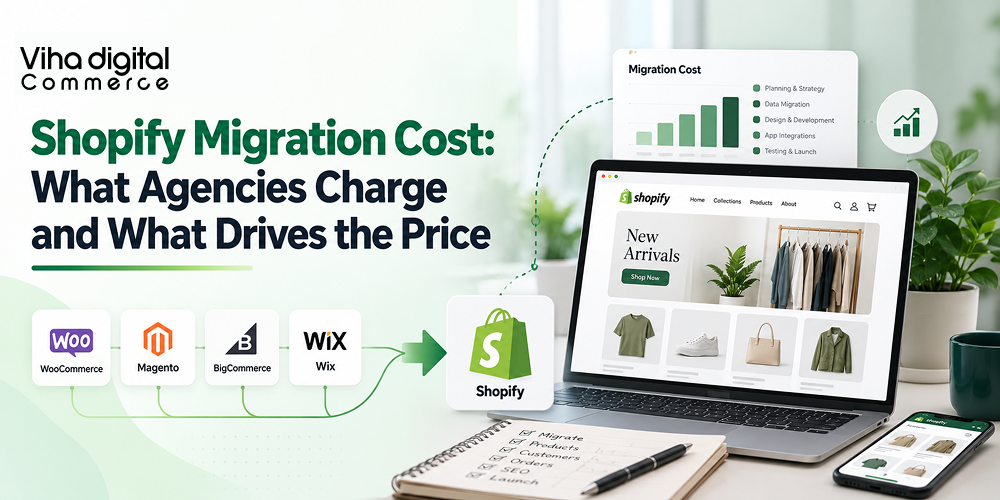
Shopify Migration Cost: What Agencies Charge and What Drives the Price
Key Takeaways
- Published 2026 estimates put Shopify migration cost anywhere from about $5,000 for a mid-tier project to well over $100,000 for complex Shopify Plus migrations.
- The source platform, data volume, integrations and SEO work drive the price more than product count alone.
- Moves from Magento usually cost more than moves from WooCommerce, because Magento data is harder to translate into Shopify’s model.
- The migration quote is only one part of the cost. Plan for platform fees, apps, post-launch fixes and the revenue risk of a poorly managed cutover.
- Ask every agency for an itemised scope so you can compare quotes like for like.
Shopify migration cost in 2026 typically runs from roughly $5,000 for a mid-tier agency project to $150,000 or more for large Magento or WooCommerce moves to Shopify Plus. Where your store lands depends on six things: the source platform, catalogue size and variant complexity, how much order and customer history you move, the number of integrations (ERP, CRM, shipping, payments), design scope, and the depth of SEO and quality testing. The fastest way to get an accurate number is to request an itemised, deliverable-based quote from a Shopify migration agency after a short technical audit of your current store.
This guide from Viha Digital Commerce explains what agencies charge, how pricing models work, what’s included and what’s not in Shopify migration services, the technical work behind each line item, and practical ways to reduce your migration budget without risking revenue.
How Much Does Shopify Migration Cost in 2026?
Planning a replatform? Shopify migration cost is rarely one number. It depends on data work, design, integrations, SEO protection, and testing, and each varies widely from store to store. A store with 300 simple products and no history may need little more than a theme setup and a CSV import. A multi-brand retailer with 80,000 SKUs, customer-group pricing, an ERP feed and three storefronts is a different project entirely.
Published agency estimates reflect that spread. The table summarises what third-party agency guides reported in 2026. These are market ranges, not Viha Digital Commerce quotes, and they should be read as directional rather than guaranteed.
| Project type | Reported range (USD) | Source |
| Mid-tier agency migration | From about $5,000 | Ringly, 2026 WooCommerce playbook |
| WooCommerce to Shopify Plus | $10,000 to $150,000 | Blackbelt Commerce, 2026 Plus guide |
| Magento to Shopify Plus | $40,000 to $150,000 | Breaking AC, 2026 agency review |
Ranges vary because agencies quote different amounts of work. Always compare scope before price. A $12,000 quote that includes redirect mapping, order history, QA and two weeks of hypercare can be a better value than a $7,000 quote that covers only products and a theme.
A practical way to think about budget tiers
To make those ranges easier to use, here is how we usually describe the tiers when scoping projects. These are planning bands based on project shape, not fixed prices.
| Tier | Typical store profile | What the work usually looks like |
| Lean | Under 1,000 products, few variants, minimal history, no custom integrations | Standard theme, product and customer import, basic redirects, light QA |
| Standard | 1,000 to 10,000 products, order history, a few apps, one or two integrations | Theme customisation, full data migration with mapping, SEO redirect plan, app replacements, structured QA |
| Advanced | 10,000+ products, complex attributes, B2B pricing, multi-currency or multi-store, ERP or PIM integration | Custom theme sections, metafield and metaobject modelling, middleware, staged migration, performance and load testing |
| Enterprise | Multi-brand or multi-region, Shopify Plus features, custom checkout logic, headless or composable pieces | Dedicated team, discovery phase, Shopify Functions and checkout extensions, phased go-live, long hypercare |
If you tell an agency which tier you think you are in, and they disagree after an audit, that conversation is usually the most valuable part of the quoting process.
| Platform | Pricing | Hosting & Infrastructure | Maintenance | Best For | Cost Profile |
| Magento Open Source | Free license | Separate hosting and infrastructure | Merchant/agency managed | Businesses prioritising control and customisation | Low license cost; potentially higher total cost of ownership |
| Adobe Commerce | Custom pricing | Managed cloud options available | Managed depending on edition | Enterprise B2B and B2C businesses | Higher platform investment with enterprise capabilities |
| Shopify Basic | $29/month when billed yearly | Included | Shopify-managed | New and smaller businesses | Low and predictable |
| Shopify Grow | $79/month when billed yearly | Included | Shopify-managed | Growing businesses | Predictable operating cost |
| Shopify Advanced | $299/month when billed yearly | Included | Shopify-managed | High-volume and international businesses | Predictable with lower infrastructure burden |
| Shopify Plus | From $2,300/month on a 3-year term | Included | Shopify-managed | Enterprise, B2B and high-volume businesses | Higher subscription, but lower infrastructure burden |
Shopify’s advantage isn’t simply that its subscription price is lower. Its bigger cost advantage comes from what that subscription already includes. Hosting, SSL, core infrastructure, security, platform updates and much of the operational burden are handled by Shopify. With Magento Open Source, the software may be free, but businesses still need to budget for hosting, security, upgrades, development, monitoring and ongoing maintenance. Adobe Commerce offers a more managed enterprise experience, but its licensing is custom-priced and is typically appropriate for businesses with more complex requirements.
What Factors Affect Shopify Migration Costs?
Six factors explain most of the gap between a low quote and a high one. Understanding them lets you predict where your own quote will land and challenge assumptions that inflate it.
Source platform
Some platforms export clean, well-structured data while others need heavy translation. WooCommerce and BigCommerce expose relatively tidy REST APIs. Magento and Adobe Commerce use an entity-attribute-value (EAV) database model that scatters product data across many tables. Custom-built platforms may have no export at all, so a developer must write extraction scripts against a database or internal API. The more transformation needed between the source schema and Shopify’s product, variant, collection, customer, and order objects, the higher the cost.
Catalogue size and variant complexity
Product count matters, but variant structure matters more. Shopify products support a limited number of options per product (historically three options) and a capped number of variants per product, with the cap raised in recent years. Check Shopify’s current developer documentation for the live limits, because they have changed more than once. Stores whose products have four or more attributes (for example, size, colour, material and finish), or tens of thousands of variants per product, often need to be restructured using separate products grouped by metafields, or by using a product-options app or combined listings. That remodelling is design and data work, not just import work.
Data history
Migrating products alone is the cheapest path. Adding customers, historical orders, coupons, gift cards, reviews, blog content, redirects, wishlists and loyalty balances each adds mapping, transformation and verification. Some data cannot move exactly as it exists. For example, password hashes from other platforms generally cannot be imported into Shopify, so customers typically receive an account activation email or use passwordless sign-in. Historical orders can be imported for record keeping, but they will not reproduce the original payment processor transaction history.
Integrations
Connecting ERP, CRM, PIM, WMS, 3PL, shipping, tax and marketing tools is a common cause of overruns. Every integration involves authentication, field mapping, error handling, rate-limit management and testing in both directions. Where an off-the-shelf Shopify app exists, cost is lower. Where you need custom middleware, a queue and monitoring, cost rises sharply.
Design
A standard theme with minor changes costs less than a custom storefront. Custom design adds discovery, UX, design systems, theme sections, accessibility work and cross-device testing. It also adds the risk that scope grows as stakeholders react to the design in progress.
SEO and testing
Redirect mapping, metadata transfer, structured data, canonical rules, hreflang and quality checks protect revenue but take time. SEO and QA are the two items most often cut to hit a price, and they are the two items most often responsible for post-launch revenue drops.
Additional cost drivers worth knowing
- Languages and markets: each additional language multiplies content migration, translation review and URL mapping. Shopify Markets can reduce engineering work, but content and compliance still need attention.
- B2B requirements: customer-specific pricing, quotes, net terms, purchase orders and approval flows require company, location and catalog modelling. One 2026 guide notes that Shopify extended native B2B features, such as company profiles and volume pricing, to every paid plan from April 2, 2026, which can change the plan you need and the apps you can remove. Confirm the current rules on Shopify’s site before you decide.
- Subscriptions and recurring billing: moving active subscribers is among the riskiest parts of a migration because payment tokens must be transferred securely between processors, and it requires cooperation from both payment providers.
- Compliance: PCI considerations, GDPR and consent records, accessibility standards and tax configuration all need review.
- Timeline pressure: a hard launch date before a peak season compresses work and often adds premium rates or overtime.
Shopify Migration Agency Cost: How Agencies Price the Work
Shopify migration agency cost usually follows one of three models: a fixed price per project, an hourly rate, or a monthly retainer. Each shifts risk differently between you and the agency.
Fixed-price projects
A fixed price is calculated from a defined scope: number of templates, data entities, integrations, redirects and QA cycles. It gives you budget certainty and rewards agencies that estimate well. The trade-off is that anything outside the written scope is a change order. Fixed price suits migrations with a clear scope and stable requirements.
Hourly or time-and-materials work
One 2026 pricing guide reports Shopify Plus specialists at $200 to $400 per hour, or $30,000 to $150,000 for projects. Hourly arrangements suit projects that change as they go, such as discovery-heavy builds or work where requirements depend on what the data audit reveals. Ask for a not-to-exceed cap, weekly burn reporting and role-based rates, because a senior architect and a junior developer should not bill the same.
Monthly retainers
Retainers cover continuing development, optimisation and support after launch. They are less common for the migration itself, but many agencies bundle a retainer for hypercare and the first months of improvements.
How rates vary by region and seniority
Hourly rates vary by agency location, specialisation and team seniority. Onshore Plus specialists in the United States or United Kingdom are often priced toward the upper end of published ranges, while experienced teams in India and Eastern Europe may charge less per hour. Rate alone is a poor predictor of total cost. A team that works efficiently and avoids rework can finish in fewer hours than a cheaper team that needs two extra QA rounds.
A simple budget model you can reproduce
To sanity-check a quote, break it into phases and multiply estimated hours by blended rate. Here is an illustrative example for a standard-tier WooCommerce to Shopify project. The figures are for demonstration, not a quote.
| Phase | Estimated hours | Notes |
| Discovery and audit | 16 | Data review, plugin inventory, SEO baseline |
| Data mapping and migration scripts | 40 | Products, variants, customers, orders, coupons |
| Theme setup and customisation | 60 | Section changes, templates, branding |
| App selection and configuration | 24 | Reviews, search, subscriptions, shipping |
| SEO redirects and metadata | 24 | URL map, redirect import, canonical and schema checks |
| QA and UAT support | 32 | Test plans, bug fixes, device checks |
| Launch and hypercare | 20 | DNS cutover, monitoring, fixes |
| Project management | 24 | Roughly 10 to 15 percent of effort |
| Total | 240 |
At a blended rate of $60 to $120 per hour, that is roughly $14,400 to $28,800. At a blended Plus-specialist rate of $200 or more, the same scope would cost more than $48,000, which is why the hourly rate must always be read alongside the estimated hours and the seniority of the people doing the work.
What the price should include
Before comparing agency quotes, check whether the price includes data migration, Shopify theme development, integrations, SEO redirects, testing and post-launch support. Whichever model you choose, ask for deliverables, a timeline and change-order pricing in writing. Also confirm who owns the code, scripts and documentation, and whether the agency keeps working in your Shopify store or in a separate repository that you can access later.
Magento to Shopify Migration Cost
Magento to Shopify migration cost is usually the highest of the common paths. Magento (now Adobe Commerce for the commercial edition) stores often carry complex attribute structures, customer-group pricing, multi-store views and custom modules, and none of these map one to one onto Shopify. Treating the move as a simple export is a common mistake.
Why Magento migrations cost more
- EAV data model: product attributes live in separate tables (for example catalog_product_entity, eav_attribute, and value tables by data type). Extracting a coherent product record requires joins across many tables and handling of store-view scopes.
- Product types: configurable, bundle, grouped, virtual and downloadable products do not exist as separate product types in Shopify. Configurable products map to products with variants, but bundles and grouped products need an app, a metafield-driven approach or Shopify’s bundle capabilities, and each choice changes the front-end template.
- Pricing logic: tier prices, special prices, catalog price rules and customer-group pricing must be recreated through Shopify price lists, B2B catalogs, Markets pricing, discount logic or Shopify Functions.
- Multi-store and multi-website setups: store views, websites and scopes often become Shopify Markets, separate stores, or a combination, which needs a decision up front.
- Custom modules: each module represents a business rule that must be rebuilt as an app, a theme feature, a Shopify Function or a middleware service, or retired.
- Layered navigation and search: Magento’s filterable attributes drive category pages. Recreating them in Shopify often means Shopify’s Search & Discovery app or a third-party search provider, plus metafields for filter values.
- URL rewrites: Magento’s url_rewrite table holds the full history of product and category URLs, which is valuable input for a comprehensive redirect map.
How we approach Magento builds
As an Adobe Gold Partner with deep Adobe Commerce experience, Viha Digital Commerce reads the Magento build first, then plans what to rebuild, replace or retire. That sequencing matters. Many quotes assume every Magento feature must be recreated, which inflates cost. In practice, a Magento audit often shows that a large share of custom modules have not been used in years or are replaced by native Shopify functionality. For a detailed overview of the migration process, challenges and key considerations, read our Magento to Shopify migration guide.
Typical budget range
Published 2026 agency reviews report Magento to Shopify Plus projects from $40,000 to $150,000. A straightforward Adobe Commerce store with a modest catalogue and few extensions can land below that band, and a large enterprise build with ERP, PIM and B2B logic can exceed it. The audit is what separates the two.
Magento-specific cost savers
- Retire unused extensions and custom modules before migration.
- Consolidate attribute sets and normalise attribute values (for example, fixing “Navy”, “navy” and “Navy Blue”) in the source before export.
- Decide early whether bundles will be rebuilt natively or via an app.
- Use the existing url_rewrite data to automate redirects rather than building them manually.
- Migrate in a staged approach: catalogue first, then customers and orders, then a final delta migration at cutover.
WooCommerce to Shopify Migration Cost
WooCommerce to Shopify migration cost is often lower because WooCommerce can provide structured data exports through its REST API, WP-CLI and database tables, but custom fields, plugin-generated data and subscription features may require additional mapping.
Where WooCommerce migrations are straightforward
- Simple and variable products map naturally onto Shopify products and variants.
- Categories and tags can become collections and tags.
- Customers and orders are accessible through the WooCommerce REST API, and stores using High-Performance Order Storage (HPOS) keep orders in dedicated tables rather than the posts table, which changes how scripts query them.
- Blog posts and pages move to Shopify’s blog and page objects.
Where the risk sits
The risks sit elsewhere. URL structures differ, plugins must be replaced with Shopify apps, and features such as WooCommerce Subscriptions do not map cleanly.
- URL structure: WooCommerce lets you choose permalinks like /product/name/ or /shop/category/name/. Shopify uses fixed prefixes: /products/, /collections/, /pages/ and /blogs/news/. Every product, category, page and post URL needs a mapped 301 redirect.
- Plugin dependency: a typical WooCommerce store runs 20 to 40 plugins. Each represents a function that needs a Shopify equivalent (an app, a native feature or custom code) or a decision to drop it.
- Custom fields: data from Advanced Custom Fields, product add-on plugins and page builders is stored in wp_postmeta or plugin tables, and must be extracted and mapped to Shopify metafields or metaobjects.
- Content built in page builders: Elementor, Divi and WPBakery content is not portable. Pages need to be rebuilt using Shopify sections and blocks.
- Subscriptions: active subscriptions require a Shopify subscription app, a compatible payment gateway, and a plan for transferring stored payment tokens.
- SEO plugins: Yoast or Rank Math settings (titles, descriptions, canonical URLs, schema, robots directives) must be exported and mapped.
Plan for redirects and app replacements early, since they affect both budget and timeline.
Typical budget range
The Ringly 2026 WooCommerce playbook cited above reports mid-tier agency migrations starting at about $5,000, while Blackbelt Commerce’s 2026 Plus guide reports WooCommerce to Shopify Plus at $10,000 to $150,000. The lower end typically reflects a lean store with standard data and a standard theme. The upper end reflects custom storefronts, B2B, complex integrations, and multi-region needs.
Shopify Plus Migration Cost and Total Cost of Ownership
Shopify Plus migration cost has two parts: the one-time migration and the recurring platform fee. Plus pricing becomes revenue-based for high-volume brands, and the real monthly spend rises with apps and integrations. In exchange, Plus brings stronger tools for automation, B2B, and international selling.
The one-time migration
This is the agency or internal build cost covered throughout this guide. On Plus, the project usually includes extra scope that standard plans do not require:
- Checkout customisation through checkout extensibility, UI extensions and branding settings, rather than legacy checkout code editing. Shopify has been retiring older customisation methods such as Scripts and checkout.liquid in favour of checkout extensions and Shopify Functions, so any Magento or WooCommerce checkout logic (custom shipping rules, discount stacking, payment method filtering) should be planned as Functions or extensions from the start. Verify current deprecation timelines in Shopify’s developer changelog.
- Multiple storefronts and expansion stores for separate brands or regions, with shared or separate catalogues.
- B2B on Shopify: companies, locations, catalogs, price lists, payment terms and draft-order workflows.
- Shopify Flow automations to replace custom cron jobs and back-office scripts.
- Launchpad and scheduled events for sale launches and inventory drops.
- Higher API limits and bulk operations for large catalogue sync with ERP or PIM systems.
The recurring platform fee
Plus has historically started at a flat monthly fee on a multi-year term, with a revenue-based percentage applying once sales pass a published threshold. Exact pricing changes, so confirm current terms with Shopify or a Shopify partner before budgeting. Also account for payment processing: using Shopify Payments generally avoids extra third-party gateway fees, while using an external gateway may add a per-transaction charge.
Three-year total cost of ownership (TCO) view
Compare platforms over three years, not just the migration invoice. A useful TCO model includes:
| Cost category | Items to include |
| Migration (one-time) | Agency fees, data work, theme, SEO, QA, contingency |
| Platform fees | Shopify plan or Plus fee, transaction and gateway fees |
| Apps | Subscription and usage-based app fees, often $500 to several thousand per month on complex stores |
| Hosting and infrastructure avoided | Servers, CDN, security patches, PCI scope, DevOps retainers you no longer pay for |
| Maintenance | Ongoing development, support retainer, theme updates |
| Revenue effect | Conversion, page speed, uptime and AOV changes after migration |
Many Magento merchants find that eliminating hosting, patching and developer retainers offsets a large share of Shopify Plus fees. That is a commercial argument, but it only holds when apps and customisation are kept disciplined. We migrate stores to Shopify or Shopify Plus from Magento, WooCommerce, BigCommerce, PrestaShop and custom systems.
Do you need Plus at all?
Not every migrating store needs Plus. Standard Shopify plans can support significant revenue. Consider Plus when you need expansion stores, advanced checkout customisation, higher automation limits, dedicated support, or a lower effective rate at high volumes. A good agency will tell you honestly if a non-Plus plan fits, because starting lower and upgrading later is possible and often cheaper.
What Is Included in Shopify Migration Services?
Clear Shopify migration services pricing depends on a clear scope. Our process covers five steps:
| Step | What happens | Cost driver |
| Audit and plan | We review your platform, data volume and integrations. | Store complexity |
| Data mapping and migration | We map and move products, variants, customers, orders, coupons, content and taxes. | Data volume and history |
| Theme, apps, integrations | We set up your Shopify theme and the apps you need. | Design and integrations |
| Testing | We check data accuracy, links, checkout and mobile performance. | Number of features |
| Launch and support | We take the store live and stay on hand after go-live. | Support level |
Phase 1: Audit and plan
The audit produces the document that makes every other estimate reliable. It typically includes an entity inventory (product counts, variant counts, customer and order volumes, content types), a feature and plugin inventory, an integration map with data flow directions, a baseline SEO crawl and analytics snapshot, a data quality report (duplicates, missing SKUs, broken images, inconsistent attributes), and a risk register. Skipping it is the single most common reason quotes later grow.
Phase 2: Data mapping and migration
The team creates a field-by-field mapping from source schema to Shopify objects, builds repeatable migration scripts or uses a migration tool, runs test migrations into a development store, and validates counts and samples. See the next section for technical detail.
Phase 3: Theme, apps and integrations
The storefront is built on a Shopify Online Store 2.0 theme, using sections, blocks and JSON templates so merchants can edit pages without developers. Apps and integrations replace legacy plugins and connect back-office systems.
Phase 4: Testing
Testing covers data accuracy, functional behaviour, checkout and payment flows, tax and shipping calculations, email notifications, redirects, accessibility, cross-browser and device compatibility, and performance.
Phase 5: Launch and support
Launch includes DNS cutover, final data sync, monitoring and rapid issue resolution. Support levels range from a short hypercare window to ongoing maintenance.
Shopify Migration Cost Breakdown: What Affects the Price?
| Migration component | What affects the cost | Cost driver |
| Data migration | Products, customers, orders and custom fields | Data volume and history |
| Theme development | Standard Shopify theme or custom storefront | Design complexity |
| App and integration setup | ERP, CRM, shipping and payment systems | Number and complexity of integrations |
| SEO migration | URL redirects, metadata and technical SEO checks | Number of URLs and SEO requirements |
| Testing and launch | Checkout, mobile performance and data accuracy | Number of features and testing requirements |
The Technical Work Behind Data Migration
This is where most hidden cost lives. Understanding what data can and cannot move helps you read a scope document critically.
Entity-by-entity mapping
| Source entity | Shopify target | Technical notes |
| Products | Products | Title, description HTML, vendor, product type, tags, status, SEO title and description, handle |
| Variants | Product variants | SKU, barcode, price, compare-at price, cost, weight, inventory policy, option values |
| Images and media | Product media | Must be reachable by public URL during import; large image sets need batching; alt text should be migrated |
| Categories | Collections (manual or smart) | Smart collections use rules based on tags, type, vendor or metafields |
| Custom attributes | Metafields and metaobjects | Define metafield definitions first, then write values; use types such as single-line text, number, measurement, reference |
| Inventory | Inventory items and levels by location | Requires location mapping for multi-warehouse setups |
| Customers | Customers | Includes addresses, tags, marketing consent, notes; password hashes are not importable |
| Orders | Orders (historical) | Imported through the Admin API for reporting; payment and fulfilment states are recorded, not replayed |
| Discounts and coupons | Discount codes and automatic discounts | Complex rules may need Shopify Functions |
| Gift cards | Gift cards | Balances can be created via API on eligible plans |
| Pages and posts | Pages and blog articles | Page-builder content must be rebuilt |
| Redirects | URL redirects | Imported by CSV or API |
| Reviews | Reviews app data | Depends on the reviews app chosen and its import format |
| Taxes | Tax settings and overrides | Configured rather than migrated |
Tools and methods
Agencies typically combine several methods:
- CSV import through Shopify’s native importer, useful for small, clean catalogues.
- Migration apps such as Matrixify (spreadsheet-driven bulk import, export and update), Cart2Cart and LitExtension, which automate extraction from many source platforms.
- Admin GraphQL API and bulk operations for large or custom datasets. bulkOperationRunMutation accepts a JSONL file of mutations, allowing very large writes without hitting standard throttling limits.
- Custom ETL scripts (extract, transform, load) in Python, Node.js or PHP, which read from the source database or API, transform records, and write to Shopify with retries, logging and idempotency.
- Middleware or iPaaS (Make, Workato, Celigo, or custom services) for ongoing synchronisation with ERP or PIM.
Handling API limits and reliability
The Admin GraphQL API uses a calculated query cost with a leaky bucket rate limit, so scripts should read the cost data in each response and throttle themselves. Production-grade migration scripts implement exponential backoff, checkpointing so a failed run resumes where it stopped, deduplication using stable external identifiers (for example, storing the source ID in a metafield), and detailed logs for reconciliation. Product creation also triggers asynchronous processes such as media processing, so scripts should poll or listen to webhooks rather than assume instant completion.
Data cleansing
Cleaning data before the move reduces both cost and risk. Common problems include duplicate SKUs, products without images, inconsistent units, special characters that break handles, HTML with inline styles and deprecated tags, and orphaned customer records. Agencies can clean data as part of the project, but it is billed hours. Cleaning it yourself first is one of the strongest cost levers you control.
Customers and passwords
Because password hashes cannot be imported, plan the customer communication. Typical approaches are sending account invitation emails after launch, enabling Shopify’s passwordless customer accounts, or using Multipass on Plus if you are keeping an external identity system. Include this step in the launch communication plan so customers do not think their accounts are lost.
Orders and customer history
Historical orders can be imported so customers see their past purchases and your team keeps reporting continuity. Imported orders will not recreate payment processor records, will not reduce inventory (and should not), and may use placeholder order numbers or custom name prefixes. Decide whether you need all history or just the last two to three years. Importing less history reduces cost and speeds up the migration.
Subscriptions and stored payment methods
Moving active subscribers is a specialist task. Stored cards are tokenised by the payment processor, and tokens can usually only be moved between processors through a secure, PCI-compliant transfer that both processors agree to. Plan weeks of lead time, test with a small cohort, and communicate billing date changes clearly. If tokens cannot move, you will need customers to re-enter payment details, which affects churn.
Shopify Migration Services With SEO Preservation
Shopify migration services with SEO preservation protect the rankings you have already earned. Careful SEO migration planning can reduce the risk of significant ranking and traffic losses, although temporary fluctuations may still occur after launch. Our team handles four things:
- URL mapping: every old URL points to its new Shopify equivalent through redirects.
- Metadata: meta titles and descriptions move across with your pages.
- SEO settings: URL structures and key settings are carried over and reviewed.
- Launch checks: we test links and pages before and after go-live.
The technical SEO migration workflow
- Baseline before you change anything. Crawl the live site with a tool such as Screaming Frog or Sitebulb to capture every indexable URL, status code, title, meta description, H1, canonical, hreflang, structured data and internal link count. Export Google Search Console performance data by page and query, and analytics landing-page data. Pull backlink data from tools such as Ahrefs or Semrush so you know which URLs carry link equity. This baseline is how you prove, after launch, whether anything was lost.
- Build the redirect map. Combine crawl data, sitemap URLs, backlink targets, top organic landing pages and, for Magento, the url_rewrite table. Map each old URL to the closest new equivalent. Use one-to-one mappings wherever possible. For discontinued products, redirect to the closest category or alternative product, not blindly to the home page, because mass redirects to the home page are often treated as soft 404s by search engines.
- Handle Shopify URL constraints. Shopify enforces /products/handle, /collections/handle, /pages/handle and /blogs/blog-handle/article-handle. You cannot freely rewrite these prefixes, so redirects are essential. Shopify also exposes products under both /products/handle and /collections/collection/products/handle, and themes should declare the canonical URL as the /products/ version to avoid duplication.
- Avoid redirect chains and loops. Redirect every old URL straight to its final destination in a single 301 hop. Chains waste crawl budget and dilute signals. Shopify’s URL redirects feature can be bulk imported by CSV or API. Check platform limits on redirect volume in current documentation, and plan accordingly for very large sites.
- Transfer on-page SEO elements. Migrate title tags, meta descriptions, H1s, image alt text, internal link anchor text and body copy with minimal unintended changes. Rewriting content at the same time as a platform change makes it hard to diagnose ranking changes.
- Structured data. Verify Product, Offer, AggregateRating, BreadcrumbList, Organization and FAQPage markup renders correctly in the new theme, and validate using Google’s Rich Results Test. Pay particular attention to price, availability and return policy fields.
- Indexing controls. Review robots.txt (editable on Shopify through the robots.txt.liquid template), canonical tags, noindex rules for filtered or internal search pages, and the automatically generated /sitemap.xml. Make sure the staging or development store is never indexed, and that you remove any password page or noindex tag at launch deliberately.
- International setup. If you run multiple languages or regions, confirm hreflang tags, language subfolders or domains, and currency handling through Shopify Markets match the old structure as closely as possible.
- Site speed and Core Web Vitals. A well-built Shopify theme often improves performance versus a heavy Magento or WooCommerce stack, but app bloat can reverse that. Aim for strong Largest Contentful Paint, Interaction to Next Paint and Cumulative Layout Shift scores, and test on mobile.
- Launch-day and post-launch monitoring. Resubmit the sitemap in Google Search Console and Bing Webmaster Tools, spot-check that top URLs return 200 or a single 301, watch the Crawl Stats and Page Indexing reports, track 404 spikes, and compare rankings and organic sessions to the baseline daily for the first two weeks and weekly for the first quarter.
Realistic expectations
Temporary ranking movement after migration is normal, even when everything is done correctly, because search engines need time to recrawl and reprocess URLs. Well-executed migrations commonly stabilise within weeks, though timing varies by site size and authority. Avoid launching during your peak sales season unless there is a compelling reason, and avoid combining migration with a domain change, a full redesign and a content rewrite if you want to keep diagnosis simple.
Integrations, Theme Development and Checkout
Integrations
Integration scope is the most variable budget item. For each system, document the direction of data flow, trigger (real-time webhook or scheduled sync), volume, authentication method, error handling, and ownership.
- ERP and accounting (NetSuite, SAP, Microsoft Dynamics, QuickBooks, Xero): orders out, inventory and pricing in. Often needs middleware with a queue.
- PIM (Akeneo, Pimcore, Salsify): product content in, so Shopify stays the presentation layer.
- CRM and marketing (HubSpot, Salesforce, Klaviyo): customer and event sync.
- Shipping and 3PL (ShipStation, ShipBob, Cin7, regional carriers): fulfilment routing and tracking write-back.
- Tax (Shopify Tax, Avalara, TaxJar): configuration and nexus rules.
- Payments (Shopify Payments, Stripe, PayPal, regional gateways): gateway setup, wallets, fraud rules.
- Search and merchandising (Shopify Search & Discovery, Algolia, Searchanise): synonyms, filters, and boosting.
Shopify webhooks (for example orders/create, inventory_levels/update, products/update) should be verified using the X-Shopify-Hmac-Sha256 header, processed asynchronously, and handled idempotently, since delivery can repeat or arrive out of order.
Theme development
A standard theme with minor changes costs less than a custom storefront. Options include a premium or free Shopify theme with brand customisation, a custom theme built on Shopify’s Online Store 2.0 architecture, or a headless build using Hydrogen and Oxygen or another front-end framework through the Storefront API. Headless adds engineering, hosting and maintenance cost and is rarely the right choice for a first migration unless there is a specific performance or experience requirement.
When scoping theme work, ask whether the quote covers Liquid templates and sections, theme settings, accessibility to WCAG 2.1 AA expectations, metafield-driven content, translation-ready strings, performance budgets and merchant training.
Apps
Every app adds a monthly fee, front-end JavaScript and a dependency. Audit your plugin list and categorise each one as native in Shopify, replaced by an app, rebuilt as custom code, or retired. A leaner app stack lowers both recurring cost and page weight.
Checkout
Checkout is the most sensitive area. Test every payment method, shipping rate scenario, discount combination, tax outcome, gift card and wallet flow, in each market and currency you sell in, before launch.
Testing, Cutover and Post-Launch Support
A testing plan that catches real problems
- Data reconciliation: compare counts and sampled records between source and Shopify for products, variants, customers, orders and inventory.
- Functional testing: search, filters, cart, discount logic, account creation, wishlist, returns and email triggers.
- Checkout testing: place real test orders using each payment method and refund them.
- Redirect testing: run the full redirect list through a crawler and confirm each returns a single 301 to a 200 page.
- Performance testing: measure Core Web Vitals on key templates (home, collection, product, cart) on mobile.
- Accessibility testing: keyboard navigation, colour contrast, labelled forms and screen reader checks.
- User acceptance testing (UAT): your team signs off against written acceptance criteria.
The cutover plan
A controlled cutover usually follows this order: lower DNS TTL days in advance, freeze catalogue and order changes on the old platform for a defined window, run a delta migration of new orders, customers and inventory since the last full import, switch DNS and verify SSL, remove password protection, activate redirects, resubmit sitemaps, and monitor. Have a rollback plan and keep the old platform available in read-only mode for a period so you can verify historical data and handle edge cases.
Hypercare and ongoing support
The first two to four weeks after go-live are when unexpected issues appear: a rarely used payment method, an overlooked integration trigger, a redirect gap. Quality Shopify migration services include a hypercare window with fast response times. After that, our support and maintenance team keeps the store running smoothly, covering bug fixes, app updates, performance tuning and incremental improvements.
Timelines by Project Type
| Project type | Typical duration | Main schedule drivers |
| Lean WooCommerce or BigCommerce migration | 3 to 6 weeks | Theme design, content readiness |
| Standard migration with order history and apps | 6 to 12 weeks | Data cleaning, app replacement, QA cycles |
| Advanced migration with integrations | 3 to 6 months | ERP or PIM integration, B2B logic, approvals |
| Enterprise Plus programme | 6 to 12 months | Multi-region rollout, custom checkout, stakeholder alignment |
These are planning ranges, not guarantees. Delays most often come from late content, slow stakeholder decisions, and third-party systems that are not ready.
Is Hiring Shopify Migration Experts Worth It?
For small, simple stores, migration apps and tools can work. For anything larger, hiring Shopify migration experts is usually the safer choice. Migration is complicated and time-consuming, and mistakes can damage your store. Experts reduce the risk of lost data, broken links, and ranking drops, which are far more expensive than the migration itself. If your catalogue is large, your pricing is custom, or you run integrations, expert help is typically worth the cost.
DIY, app-based or agency: how to choose
| Option | Best for | Main risk |
| DIY with CSV import | Under a few hundred products, no history | Hidden data errors, missed redirects |
| Migration app | Standard catalogues and common source platforms | Limited custom field handling, no SEO or QA planning |
| Freelancer | Defined small projects | Single point of failure, limited QA capacity |
| Specialist agency | Complex data, integrations, SEO-sensitive revenue | Higher upfront cost, quality varies by agency |
A simple value calculation
If your store earns $50,000 per month in organic and direct revenue and a poor migration causes a 20 percent drop for two months, you lose $20,000 before counting repair costs and lost customer trust. A well-planned migration that avoids even half of that drop pays for a large part of an agency fee. The more revenue is exposed to SEO and checkout reliability, the stronger the case for expert help.
Hire Shopify migration experts early, ideally before you choose a theme, so the plan reflects your real data.
How Can Businesses Reduce Shopify Migration Costs?
- Clean your data first: remove obsolete products, duplicates and unused customer records before the move.
- Fix the scope: agree the feature list up front and treat extras as a second phase.
- Start with a standard theme: refine the design after launch instead of building everything custom.
- Audit your apps: retire plugins you no longer use rather than rebuilding them.
- Phase integrations: launch with the essentials and add the rest later.
- Request an itemised quote: compare deliverables, not just totals.
More ways to save without adding risk
- Limit order history: import two to three years instead of everything.
- Prepare content early: finished copy, images and product data prevent idle billing time.
- Name one decision-maker: committee feedback loops add rework.
- Choose a launch window outside peak season: avoids rush premiums and revenue risk.
- Use native Shopify features: B2B, Markets, Flow, Search & Discovery and bundles can replace paid apps or custom code.
- Keep SEO and QA in scope: cutting them is a false economy.
Hidden costs to budget for
- App subscriptions and migration tool licences.
- Premium theme fees and font or stock image licences.
- Content writing, photography and translation.
- Parallel running of the old platform during cutover.
- Staff training and documentation.
- Contingency of 10 to 20 percent for unknowns.
How to Evaluate an Agency Quote
Use this checklist when comparing proposals:
- Is the scope itemised by entity, template, integration and QA activity?
- Are assumptions stated, such as product counts, redirect volume and number of rounds of revisions?
- Is SEO included with a documented redirect map and post-launch monitoring?
- Who does the work, and what is the seniority mix?
- What happens when scope changes, and what is the change-order rate?
- How is data validated, and will you receive a reconciliation report?
- What does hypercare include, and for how long?
- Who owns the scripts, documentation and custom code?
- Can they show relevant case studies from your source platform and scale?
- Do they recommend what not to migrate? An agency that only adds scope may not be protecting your budget.
Red flags
- A flat price quoted without any audit or data review.
- No mention of redirects, canonical tags or structured data.
- Promises of zero traffic fluctuation, because no one can guarantee that.
- No testing or UAT phase.
- Vague hypercare terms.
- Pressure to sign before discovery.
Custom Shopify Migration Services From Viha Digital Commerce
Custom Shopify migration services fit stores that do not follow a standard template, such as large catalogues, B2B pricing or connected systems. Viha Digital Commerce has over a decade of ecommerce experience and supports migrations from Magento, WooCommerce, PrestaShop, BigCommerce, OpenCart, Volusion and Squarespace. After go-live, our support and maintenance team keeps the store running smoothly. Our custom Shopify migration services also cover Shopify Plus.
Our approach follows four principles: audit before quoting, itemise every deliverable, protect organic revenue with SEO preservation, and stay accountable after launch.
Planning a Magento, WooCommerce or custom-platform migration? Viha Digital Commerce can review your current store, data structure, integrations and SEO requirements to help define a migration scope and estimate. Hire Shopify migration experts and book a free discussion with Viha Digital Commerce. We will review your platform, data and requirements, then recommend a scope and timeline.
Frequently Asked Questions
Can I migrate customer passwords to Shopify?
Generally no. Password hashes from other platforms cannot be imported, so customers typically receive an account activation email or use passwordless sign-in.
How long does a Shopify migration take?
Lean projects can take three to six weeks, standard projects six to twelve weeks, and advanced or enterprise projects several months, depending on integrations and decision speed.
Will my SEO rankings drop after migrating to Shopify?
Temporary movement is common, but a well-planned migration with accurate redirects, preserved metadata and structured data can limit losses. No agency should promise zero fluctuation.
Conclusion
Shopify migration cost in 2026 is best understood as a function of complexity, not catalogue size. The source platform, variant structure, data history, integrations, design, and SEO scope together determine whether your project sits near $5,000 or well above $100,000. Magento projects usually cost more than WooCommerce projects because the data is harder to translate, and Shopify Plus adds a recurring fee that belongs in a three-year cost model.
The smartest way to control cost is to reduce uncertainty: audit first, clean your data, fix the scope, phase integrations, and demand an itemised quote. The smartest way to protect revenue is to keep SEO preservation, testing and hypercare in scope.
Ready to plan your migration? Viha Digital Commerce will review your current store, data structure, integrations and SEO requirements, and recommend a scope, timeline and estimate. Book a free discussion today.









 All-in-One Solution
 Customizable Services
 Assortment of Payment Options
 Optimized Sales Processes
 Omnichannel Maintenance & Support
 Custom Shopping Cart
 Advanced Security & Support
 API Payment & Logistic Integrations
 Social Media Integration
 Professional Communication
 Skilled Developers
 Timing is Everything
 Secure Agreements
 Support Tilt
 Quality Top Up Most
 White Development Pathway
 Competitive Price Point