
Shopify Speed Optimization: The Complete Guide to Faster Stores & Higher Conversions (2026)
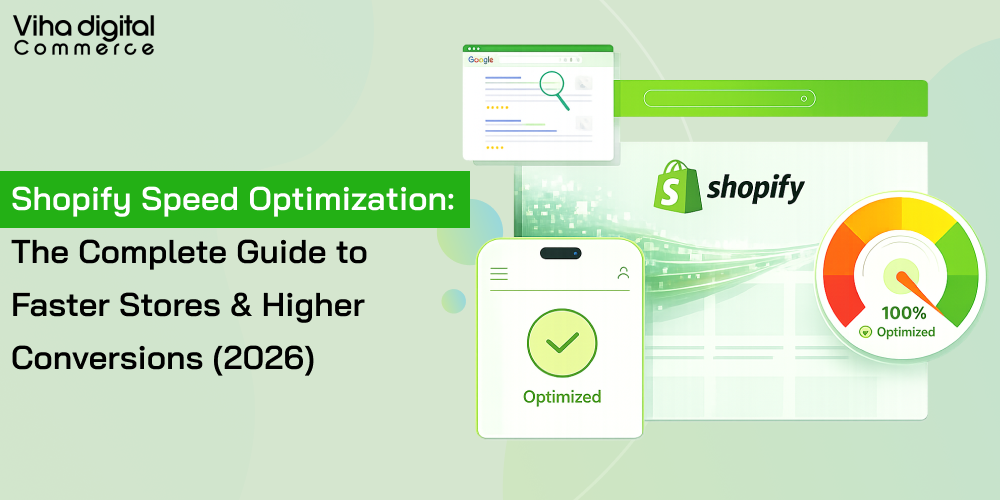
Every second your Shopify store takes to load, customers leave. It’s not a theory — it’s math.
In 2026, the average adult attention span for digital content sits at roughly 8 seconds, and for younger shoppers like Gen Z, it’s even shorter. If your store doesn’t load fast, visitors don’t wait around. They move on to a competitor who’s already done the work you haven’t.
This guide covers everything you need to know about Shopify speed optimization — what it is, why it matters more than ever, the exact techniques that move the needle, and when it makes sense to invest in professional Shopify speed optimization services.
What Is Shopify Speed Optimization?
Shopify speed optimization is the systematic process of improving page load times and overall website performance for stores running on the Shopify platform. It covers two broad areas:
Frontend improvements — image compression, code minification, theme streamlining, and lazy loading of content.
Backend enhancements — disciplined app management, Liquid code cleanup, and leveraging Shopify’s built-in content delivery network (CDN).
The goal is simple: make every page on your store load as fast as possible, on every device, every time.
Why Shopify Speed Optimization Matters in 2026
1. Slow Stores Lose Sales — Directly
The numbers are stark. Shopify stores loading in under 2 seconds achieve 2.5x higher conversion rates compared to stores that load in 5 seconds. A one-second delay in page load time can cause frustration that drives shoppers straight to cart abandonment.
To put that in perspective: a store receiving 5,000 visitors per day with an average order value of $60 could lose up to $9,000 per day from just a single second of added load time.
Even micro-improvements compound quickly. A 0.1-second improvement in load time has been shown to increase conversions by 8.4%.
2. Speed Is Now a Google Ranking Signal
Since 2021, Google has used Core Web Vitals as direct ranking factors — and in December 2025, Google’s core algorithm update increased the weight given to these signals even further.
Core Web Vitals are three real-user performance metrics:
- LCP (Largest Contentful Paint) — how fast your main content appears. Target: under 2.5 seconds.
- INP (Interaction to Next Paint) — how responsive your pages feel throughout a session. This replaced the older FID metric.
- CLS (Cumulative Layout Shift) — how visually stable your layout stays as it loads.
Critically, these are field metrics — measured using actual visitor data, not just lab tests. Failing them quietly pushes your store down the search results even if your products and content are excellent.
Currently, only 48% of Shopify stores pass all Core Web Vitals on mobile — meaning more than half of Shopify stores are leaving organic ranking potential on the table.
3. Mobile Performance Is Non-Negotiable
Mobile traffic now represents the majority of e-commerce visits. Mobile users have particularly demanding expectations: 64% expect sites to load within 4 seconds, and 47% expect 2 seconds or less.
If your store is slow on mobile, you’re losing the bulk of your traffic before a single product is even viewed.
4. Speed Compounds Over Time
A slow store isn’t just losing current conversions — it’s losing future organic traffic too. Improving Core Web Vitals has been shown to lead to 10–30% increases in organic search traffic within 3 to 6 months. Combined with direct conversion rate lifts, the return on speed optimization accumulates across both more visitors and a higher percentage of those visitors buying.
The 7 Most Impactful Shopify Speed Optimization Techniques
1. Image Optimization (Biggest Single Impact)
Images typically account for 27% of total page weight. Unoptimized images are the number one drag on Shopify store performance.
What to do:
- Convert images to next-gen formats like WebP or AVIF, which deliver comparable quality at significantly smaller file sizes.
- Compress all images before uploading using tools like TinyPNG or Shopify’s built-in compression.
- Implement lazy loading — defer the loading of below-the-fold images until the user scrolls toward them.
- For videos, use embed snippets from YouTube or Vimeo instead of self-hosted files to keep pages light.
2. App Audit and Removal
Third-party apps are the #1 speed killer on Shopify. Every installed app adds extra scripts that load on your storefront, regardless of whether a visitor ever interacts with the app’s feature.
What to do:
- Audit every installed app and ask: is this actively driving revenue?
- Uninstall apps you’re not using — even apps you’ve stopped using often leave behind residual code.
- Where possible, consolidate functionality into fewer apps.
- Limit overlapping apps that serve similar purposes.
3. Theme Optimization
Choosing the right theme and keeping it clean can improve loading times by up to 1.8x compared to heavier alternatives.
What to do:
- Use a performance-optimized theme from Shopify’s Theme Store.
- Avoid installing multiple overlapping themes or themes with heavy animation features you don’t use.
- Remove unused theme sections and code.
- Minify CSS and JavaScript files to reduce their size.
4. Critical Render Path Optimization
This involves restructuring the sequence of assets loaded during page rendering to prioritize visible content first, rather than loading everything at once.
What to do:
- Load critical above-the-fold content first.
- Use script deferral — defer render-blocking scripts or set them to load asynchronously, reducing initial page load times.
- Implement preloading for critical resources so the most important content renders immediately.
- Use code splitting so users only load the JavaScript they actually need for each page.
5. Shopify CDN and Caching
Shopify provides a global CDN out of the box, but it needs to be properly leveraged.
What to do:
- Enable browser caching for static resources like images and stylesheets, so returning visitors load your store faster.
- Optimize dynamic checkout content to load faster without disrupting functionality.
- Use 301 permanent redirects instead of 302 temporary redirects and fix broken links that force additional server requests.
6. Database and Code Cleanup
Over time, Shopify stores accumulate unnecessary data that can slow performance.
What to do:
- Periodically clean up expired products, revision logs, and outdated customer data.
- Remove and clean up Liquid code inefficiencies introduced by theme customizations.
- Optimize product images continuously as new inventory is added.
7. Ongoing Monitoring
Speed optimization is not a one-time fix. It’s a continuous process.
Tools to use:
- Google PageSpeed Insights — run your store URL and check your mobile score and Core Web Vitals. A mobile score below 60 or any Core Web Vitals rated “Needs Improvement” means performance is actively hurting your rankings and conversions.
- Shopify’s Web Performance Dashboard — tracks Core Web Vitals over 28-day rolling periods using real user data.
- A/B testing — validate the speed improvement impact on conversions with data from your own store.
Shopify Speed Optimization Services: When to Hire a Professional
Many speed improvements — image compression, basic app removal, switching themes — can be done without developer help. But for complex performance challenges, professional Shopify speed optimization services deliver results faster and more safely.
When to Bring in a Professional
Render-blocking scripts. When third-party scripts are deeply embedded in your theme and causing significant loading delays, a developer can properly defer or restructure them without breaking store functionality.
Liquid code inefficiencies. Bespoke theme customizations often introduce performance inefficiencies that aren’t visible to the untrained eye. A Shopify developer can audit your Liquid code and clean it up correctly.
Heavy customizations. If your store has significant bespoke features, these may require expert analysis to optimize without disrupting the customer experience.
Dynamic checkout optimization. Non-cacheable checkout content requires careful handling — a specialist can make it load faster without breaking the checkout flow.
Core Web Vitals failures. If your store is failing LCP, INP, or CLS and you’re not sure why, a structured technical audit is the fastest path to understanding and fixing the root causes.
What to Look for in a Shopify Speed Optimization Service
When evaluating providers, look for:
- In-depth audit — do they analyze your store thoroughly before touching your code?
- Transparent methodology — can they explain what they’re doing and why?
- Measurable results — do they provide before/after data with real metrics, not just PageSpeed scores?
- Case studies or client testimonials — proven experience with real Shopify stores.
- Ongoing monitoring — one-time fixes erode over time as new apps are installed and store content grows.
Platforms like Shopify Experts can connect you with vetted professionals. For end-to-end optimization with transparent pricing, established agencies that specialize in Shopify performance are typically the most reliable choice for complex stores.
What a Professional Service Typically Includes
A comprehensive Shopify speed optimization service usually covers:
- Full technical performance audit
- Image optimization and lazy loading implementation
- App script review and cleanup
- Critical render path restructuring
- Code minification (CSS, JS, Liquid)
- Core Web Vitals improvement targeting LCP, INP, and CLS
- Mobile performance optimization
- Ongoing monitoring and reporting
Most optimization projects for mid-scale stores take 2–4 weeks. Conversion rate improvements begin immediately after optimization goes live.
How to Check Your Shopify Store Speed Right Now
Start here — it takes 2 minutes:
- Go to Google PageSpeed Insights
- Enter your store URL and run the test on Mobile (this is the score that matters most)
- Note your score and the three Core Web Vitals readings (LCP, INP, CLS)
What your score means:
- 90–100 — Excellent. Your store is competitive.
- 50–89 — Needs work. Performance gaps are likely costing you rankings and conversions.
- Below 50 — Urgent. Significant revenue is being lost.
If any Core Web Vitals are rated “Needs Improvement” or “Poor,” those should be your immediate priority — they directly affect both your SEO rankings and your conversion rate.
Quick Wins vs. Advanced Fixes
| Action | Difficulty | Impact |
| Compress and convert images to WebP | Low | High |
| Uninstall unused apps | Low | High |
| Enable lazy loading | Low–Medium | High |
| Minify CSS and JS files | Medium | Medium |
| Defer render-blocking scripts | Medium–High | High |
| Optimize Liquid code | High | Medium–High |
| Fix Core Web Vitals (LCP, INP, CLS) | High | Very High |
Start with the quick wins. Measure results. Then progress to the advanced techniques — or bring in a specialist to handle them properly.
The Bottom Line
In 2026, Shopify speed optimization is no longer optional infrastructure. It is a direct revenue driver.
Stores that load fast rank higher, convert more visitors, and build more trust. Stores that don’t lose organic traffic, lose customers, and lose ground to competitors who have done the work.
The gap between a 1.4% conversion rate and a 3.2% conversion rate — nearly the difference between an average Shopify store and a top performer — isn’t about better products or more aggressive promotions. It’s largely about performance, and it’s exactly the kind of gap that Viha Digital Commerce helps stores close through focused speed optimization.
Whether you start with a few DIY fixes today or invest in professional Shopify speed optimization services, the direction is clear: every fraction of a second counts.
Need help auditing your store’s performance? Start with a free Google PageSpeed Insights check, then explore Shopify Experts or specialized speed optimization agencies for a full technical review.










 All-in-One Solution
 Customizable Services
 Assortment of Payment Options
 Optimized Sales Processes
 Omnichannel Maintenance & Support
 Custom Shopping Cart
 Advanced Security & Support
 API Payment & Logistic Integrations
 Social Media Integration
 Professional Communication
 Skilled Developers
 Timing is Everything
 Secure Agreements
 Support Tilt
 Quality Top Up Most
 White Development Pathway
 Competitive Price Point